
What is a web app, and how is it different?
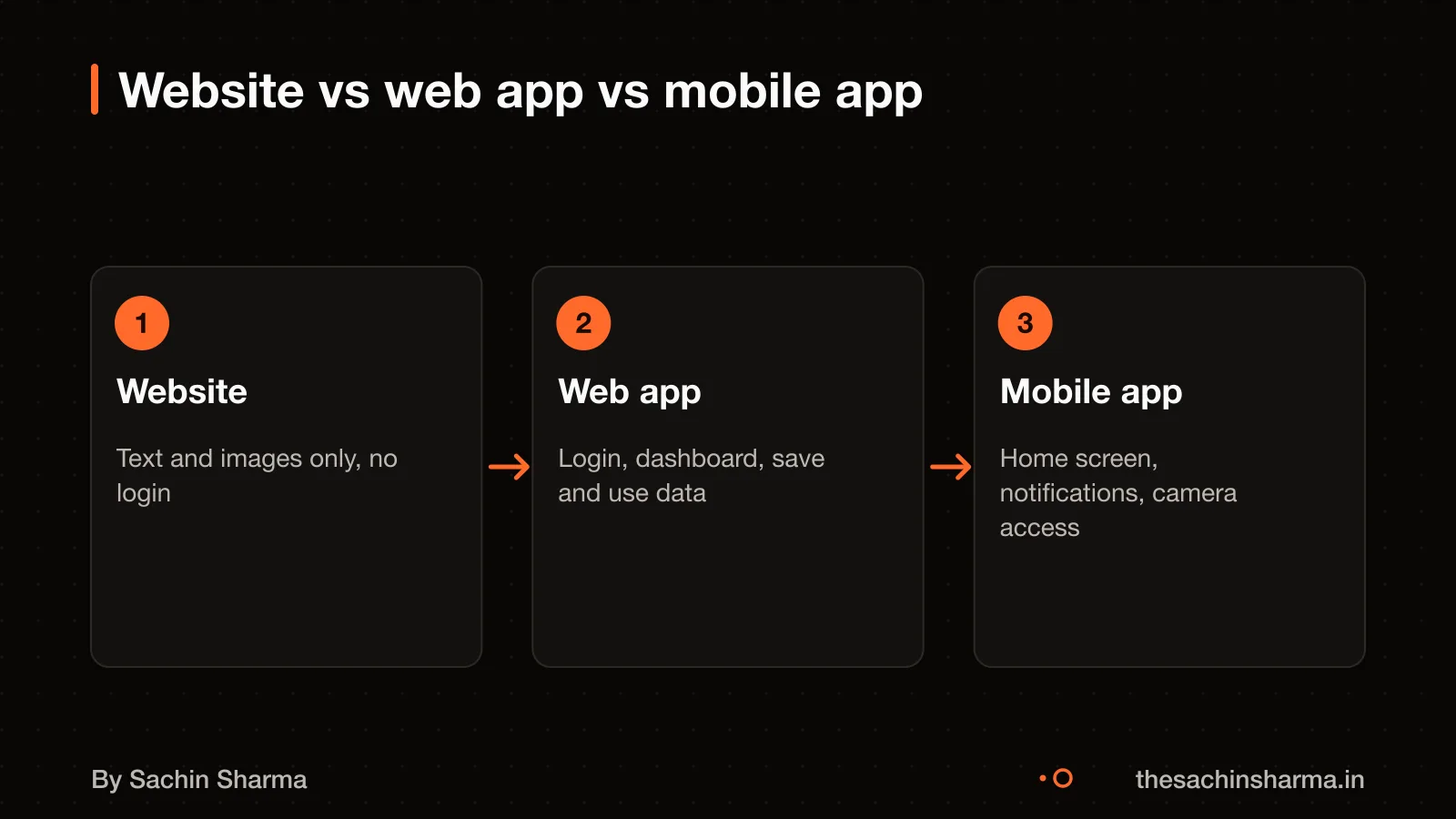
A web app is a program you use in a browser that lets you log in. Save data, and take actions like filling forms or viewing a dashboard. Unlike a website, which mainly shares information like a brochure, a web app is interactive and works more like software. For example, a clinic’s appointment portal where you log in and book slots is a web app. While the clinic’s “About Us” page is a website.
A mobile app is installed from an app store and can work offline. Send push notifications, and use device features like the camera or GPS. A web app can now do some of these too, like working offline or having extra features. But mobile apps still offer deeper device access and faster startup.
Use a website if you only need to share information. Choose a web app if your users need accounts, dashboards, or real-time updates. Go for a mobile app development in Flutter if offline use, background tasks, or frequent notifications are critical. Web apps save time and cost when you need cross-device access without separate iOS and Android builds.
Why a web app works well on phones
Yes, users can install a web app on a phone. To install a web app on Android, open Chrome, go to the site, and tap Install to create a shortcut. This gives an app-like icon and launch experience without needing the Play Store.
A web app can work offline. I build it to load and respond even when the network is slow or down. This is key for Indian users on 3G or patchy connections. The app caches core content and queues actions until the connection returns.
A web app loads quickly, feels responsive, and supports complex tasks like form filling, data tracking, or user logins. It behaves like a native app but runs in the browser.
You should pick a mobile app instead when users will open it daily. A mobile app also suits cases where offline access and speed are critical. For most small businesses, a web app is enough. But if your users need deep device integration, when to build a mobile app instead may be the better path.
How much does a web app or MVP cost in India?
This range applies to Next.js projects like the ones I build. An MVP here means the first working version with core features that let you test your idea with real users. The price includes custom design, development, testing, and deployment of the app. It does not include ongoing maintenance, hosting, or major updates after launch. For a clear scope, see what an MVP should include. This estimate is based on current market rates for skilled developers in India. Your project may cost more if it needs complex features, third-party integrations, or tight deadlines. For a simpler app, costs can fall toward the lower end.
Want a number for your idea? Send one line on WhatsApp. I reply with what drives the cost and what to cut.
Message me on WhatsAppWhat changes the price of a web app or MVP?
The price of a web app or MVP changes mainly due to complexity, design choices, features, and developer experience. A simple site with basic pages costs less than a system with user accounts and live data. You can cut cost by using a standard layout instead of a custom design. Each feature adds time and cost, so a contact form is cheaper than a booking calendar or e-commerce checkout. Experienced developers charge more but deliver better code and fewer bugs.
Complexity raises cost because it needs more logic, testing, and integration. A one-page site with text and images is low complexity. A task manager with user logins, real-time sync, and notifications is high complexity. The jump from static to dynamic content is the biggest cost driver.
Design choice matters. A template-based design uses pre-built layouts and cuts design time. A custom design matches your brand but needs hand-crafted UI work and more rounds of feedback. You save money if you accept a proven layout.
Features add cost one by one. A contact form may take a day. A booking system with calendar sync and email alerts takes a week. An e-commerce store with product listings, cart, payment, and order tracking can take several weeks. Each extra feature multiplies testing and edge cases.
Developer experience changes the price. Developer rates vary by experience. The senior builds it faster, writes cleaner code, and avoids costly rework. You pay more upfront but save time and risk.
As an estimate, assuming a mid-level developer (₹1,800/hour), here is a rough cost for common features:
| Feature | Hours | Cost (₹) | Reason |
|---|---|---|---|
| Contact form | 8 | 14,400 | Form handling, validation, email delivery |
| Booking calendar | 40 | 72,000 | Date logic, conflict checks, notifications |
| E-commerce store | 160 | 2,88,000 | Product, cart, payment, order, inventory |
Assumptions: Next.js stack, hosted on Vercel, one round of revisions, no third-party API costs. Actual cost depends on your needs and team.
Why I use Next.js for web apps and MVPs
Next.js is a React framework that builds full-stack web apps with server-side rendering, file-based routing, API routes, and built-in optimisations. Next.js provides tools for routing and APIs by default, helping you focus on building your product and shipping quickly. This matters for MVPs because you validate your idea without building everything from scratch.
Next.js provides built-in server-side rendering.
Performance improves because Next.js splits code automatically, each page loads only what it needs. It also optimises images by default. These features work out of the box, so even early versions of your app feel fast and polished.
For example, EHR Copilot, a tool I built, turns therapy session notes into structured records using server-side logic. A clean interface, all in Next.js.
React or Vue for a business web app

What can go wrong with a web app or MVP?
Cost risks include overspending on unnecessary features or underestimating hosting, compliance, or post-launch fixes. This can drain funds fast, especially if the budget does not account for hidden costs like third-party tools or legal checks.
Next.js apps face security risks if not updated. Some have auth bypass flaws when using middleware.js for login checks. Others allow cross-site scripting (XSS) if scripts use untrusted input without filtering. These can let attackers access accounts or run malicious code. You must patch them using Vercel’s security updates and avoid unsafe patterns.
Outsourcing brings communication barriers, especially across time zones. You may also lose day-to-day control over progress and decisions. This can delay fixes and make it hard to align with your vision.
Unplanned expenses add up when scope changes or new needs appear. For example, adding real-time chat late in development may require new servers, extra testing, and more security checks. These were not in the original quote and increase cost.
To reduce risk, start small, review code weekly, and use tools that work offline or in poor networks. If a project stalls, you can rescue a failed or abandoned app by rebuilding only what works.
Not sure if your project has this risk? Tell me the plan in two lines and I will say yes or no.
Message me on WhatsAppHow to check if a developer knows Next.js
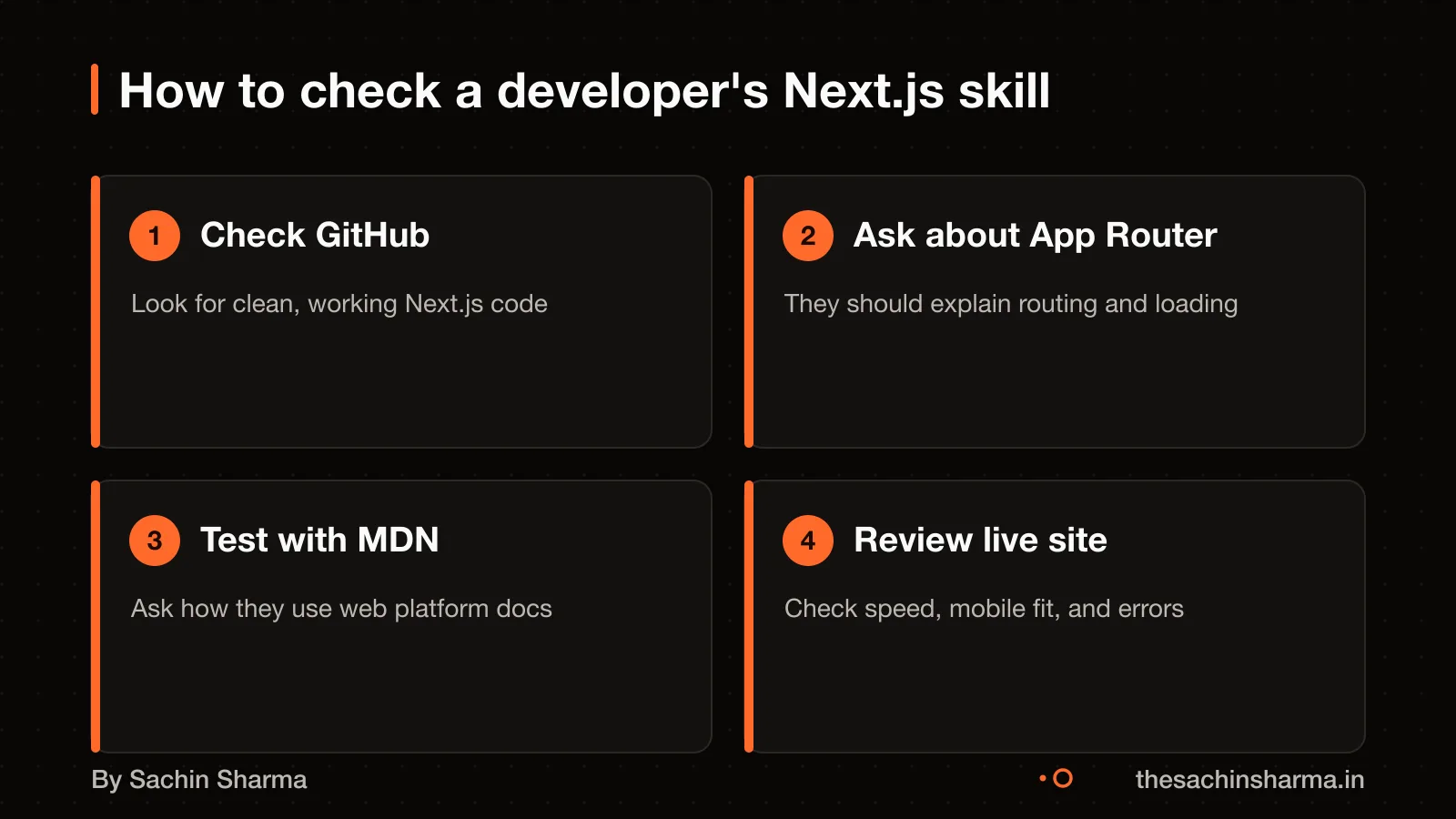
You should ask them about the App Router, server components, and how they handle data fetching. You can assess understanding using MDN’s test your skills articles and challenges.
You can also check if they contribute to open source or share code on GitHub, especially projects that use Next.js with databases or APIs. A strong developer will know how to structure a project using modern React patterns and server actions.
Look for signs they stay updated: they may follow discussions on GitHub or join the Next.js Discord to ask and answer questions. If they only talk about older tools like Create React App. Or cannot explain how server-side rendering improves loading, they may not have current full-stack experience. For deeper technical work, such as how to integrate Google Gemini API, you want someone who reads docs and tests ideas in code.
Examples of web apps I’ve built with Next.js
EHR Copilot helps mental health professionals turn session transcripts into structured SOAP notes. This saves time and reduces manual entry errors. It runs as a web app with a Next.js backend and uses no external AI APIs, processing stays private. You can see the project here: EHR Copilot: psychiatric SOAP notes from transcripts.
Sameframe finds exact and visually similar photo and video duplicates on a local machine. It uses SHA-256 for exact matches and runs AI models (DINOv3, V-JEPA 2) for visual similarity, without uploading files. It runs as a desktop web app using Next.js and Electron, with no account, telemetry, or internet requirement. Learn more: Sameframe: local duplicate finder with SHA-256.
FlashDrop lets users send files from a phone to a Mac over a local network. The Mac runs a local Next.js server, and the phone scans a QR code to start the transfer. Files are sent in encrypted 8 MiB chunks using ChaCha20-Poly1305, with resume support if interrupted. It works offline and requires no cloud or account. See how it works: FlashDrop: LAN file transfer via QR and Next.js.
EHR Copilot, Sameframe and FlashDrop are built with Next.js. The code for these projects is in public repositories, but source access is closed. Each was built with privacy, local execution, and user control in mind.
When a web app or MVP is not the right choice
When a web app or MVP is not the right choice
The website of Ralas AutoCorp, an authorized Ather dealership in Raipur, is an example of a business information site. A website loads fast, ranks on Google, and works on any device without login or complex features.
Loopin is a Flutter offline-first habit tracker. MojoPlay is a Flutter music app with offline downloads and background playback. Mobile apps support background tasks, push alerts, and deeper device features.
No app is the right answer if there is no repeat workflow or user account need. For example, a one-time form or static content does not need an MVP.
DevDex is a native macOS app that scans folders and opens projects in an IDE. One Tap Recorder is an Android screen recorder with device audio support. Web apps run in a browser and cannot reach these features safely.
Next step: message me on WhatsApp with what you want to build. No forms, no sales team.
Message me on WhatsAppAssumptions behind the numbers
- Standard MVP scope includes 10–15 screens, user login, one workflow and basic admin panel.
- Hosting and domain registration are managed by the client directly.
- No third-party integrations beyond email and analytics are assumed.
- SEO validation includes Google Search Console setup and basic meta tags.
What is in it, and what is not
A web app or MVP built in Next.js with SEO, security and performance planned in. You get a working app with clear milestones, not a quote on a one-liner.
- 01Written scope and flow
Features, screens and integrations listed in plain language, with version two items marked.
- 02SEO-ready structure
Built-in server-side rendering and metadata management for search visibility from day one.
- 03Security by design
Authentication, input sanitisation and secure headers handled as part of the base setup.
- 04Performance tuning
Image optimisation, code splitting and caching rules included by default.
- 05Testable milestones
Working software at each stage: design approved, feature complete, security patch, SEO validated.
- 06Full handover
Code in your repository, domain and hosting under your name, with a runbook.
How it runs: milestones you can test
- 1Design approved
You can test: Wireframes and navigation agreed, with placeholder content.
- 2Feature complete
You can test: All scoped features built and tested on your domain.
- 3Security patch
You can test: Auth, input and header checks confirmed and updated.
- 4SEO validated
You can test: Meta tags, sitemap and crawl paths checked in Search Console.
Right for you if
- You have a clear user and one problem to solve first.
- You need an app-like experience without asking users to install.
- You want direct contact with the developer, not an agency layer.
Look elsewhere if
- You need a mobile app with deep device integration like camera or GPS.
- You want a fixed quote on a one-line brief with no scope.
- Your budget is under ₹3 lakh or you need native-only features.
How it is priced
Price follows scope, not hours. You get a written scope first, then a price split across milestones, with a stated process for changes. A lump sum on a vague brief is where projects go wrong.
Questions to ask before you sign, with anyone
- Who exactly will write my code?
- What is not included, written down?
- What can I test at the end of each milestone?
- Whose name are the domain and repository under?
- What happens if we stop halfway?
Quick answers
Why Next.js?
Next.js is a React framework with built-in server-side rendering, file routing and API routes. It is SEO-friendly and suited for fast, scalable web apps.
Is the app SEO-friendly?
Yes. Next.js uses server-side rendering by default, which helps search engines index pages correctly from launch.
Do I own the code?
Yes. The repository, domain and hosting accounts are set up in your name from the start.
Can it work offline?
Limited offline features can be added, but a full offline mode is not default. Web apps rely on connectivity unlike mobile apps.
What about security?
Authentication, input validation and secure headers are part of the base setup. Known vulnerabilities are patched in each release.
How is performance handled?
Next.js includes automatic code splitting and image optimisation. Pages load fast without extra setup.
What if I need changes?
Changes are priced and added by agreement. Scope creep is managed by freezing the original scope and quoting additions.
Questions people ask
01What does the engineer actually decide on web app and MVP development?
The engineer chooses the tech stack, SSR or CSR, routing method, state management, and hosting. Next.js offers features like Server-side rendering (SSR), file-based routing, and API routes. These choices affect speed, SEO, and maintenance.
02Which skills matter most for web app and MVP development?
Frontend and backend coding, security, performance tuning, and debugging are key. The documentation assumes some familiarity with web development.
03How do I test a developer's Next.js skills?
Ask them to explain App Router, server-side rendering, and edge functions. You can also suggest coding challenges to test their skills.
04Can a web app work offline on a phone?
Yes, if built as a Progressive Web App with service workers and caching. Not all web apps support this. To install a web app on Android, open Chrome, go to the site, and tap Install to create a shortcut. Some allow offline browsing and notifications.
05Is Next.js better than React for SEO?
Yes, because Next.js supports server-side rendering by default, which helps search engines read content. Plain React apps run in the browser and may not index well without extra setup.
06What security issues should I watch for in a Next.js app?
Watch for auth bypass in App Router via segment-prefetch URLs and input injection in dynamic routes. Also check for XSS when using CSP nonces or scripts with untrusted input. Patch regularly and validate all inputs.
07How do I know if my web app is fast on 3G?
Test on a low-end Android device over throttled 3G. Use Lighthouse to check INP and LCP scores. Next.js handles most LCP issues with built-in image optimisation. Next.js has faster SSR throughput for simple pages compared to Nuxt 3 (+87%).