Tools used to design the state machine
I used StateSmith, a free and open-source tool, to model the state machine for Aashwasan. It supports multiple programming languages and generates human-readable code with no external dependencies. This made it ideal for a Flutter app where clean, maintainable logic is critical.
StateSmith generates code in multiple programming languages. Since the output has zero dependencies, it is suitable for use with apps. Each state and transition in the diagram became a clear, testable part of the agreement lifecycle.
To test the logic, I wrote integration tests that read the original diagram file. Generate the state machine code, then compile and run it in a separate process. The test checks that every trigger moves the state exactly as designed. This ensures the behaviour in code matches the diagram, catching bugs early.
For example, when a contractor accepts a gig, the system must move from "Offered" to "Active" only if all preconditions are met. The test simulates this input and verifies the correct state change. If the logic drifts, the test fails.
You can explore interactive examples of StateSmith’s features on the fundamentals-1 page. The StateSmith-examples repository also shows real use cases across domains.
What runs on Firebase and what was custom
Firebase Auth, Firestore, Cloud Storage, and FCM can be used for core app functions. State logic and app structure are custom-built. Firebase handles sign-in, including Google Sign In, and provisions Firestore. Cloud Storage holds user files, with paths like `user/<UID>/file.txt` and write access restricted to the matching UID. FCM delivers push notifications to keep users updated.
The Flutter app is structured around a state-driven UI, where every agreement moves through defined phases like draft, sent, signed, and complete. This state machine is not part of Firebase, it is coded in the app and enforced through Firestore security rules. For example, only users with an `admin` claim or matching role in their user document can write to certain paths. These rules are hand-written.
All business logic, such as when an agreement can be edited or who can sign, is implemented in the Flutter codebase. The AI agent mentioned in the evidence generates Firestore code to sync data across sessions and devices.
The app follows a clean architecture: presentation (screens), domain (state logic), and data (Firebase interactions) are kept separate. This makes testing easier and reduces bugs when syncing across devices.
how to set up Firebase Auth covers the steps to implement similar authentication patterns.
Want to know if Firebase fits your workflow app? Send me your user roles and key actions. I'll say where rules get tricky.
Message me on WhatsApp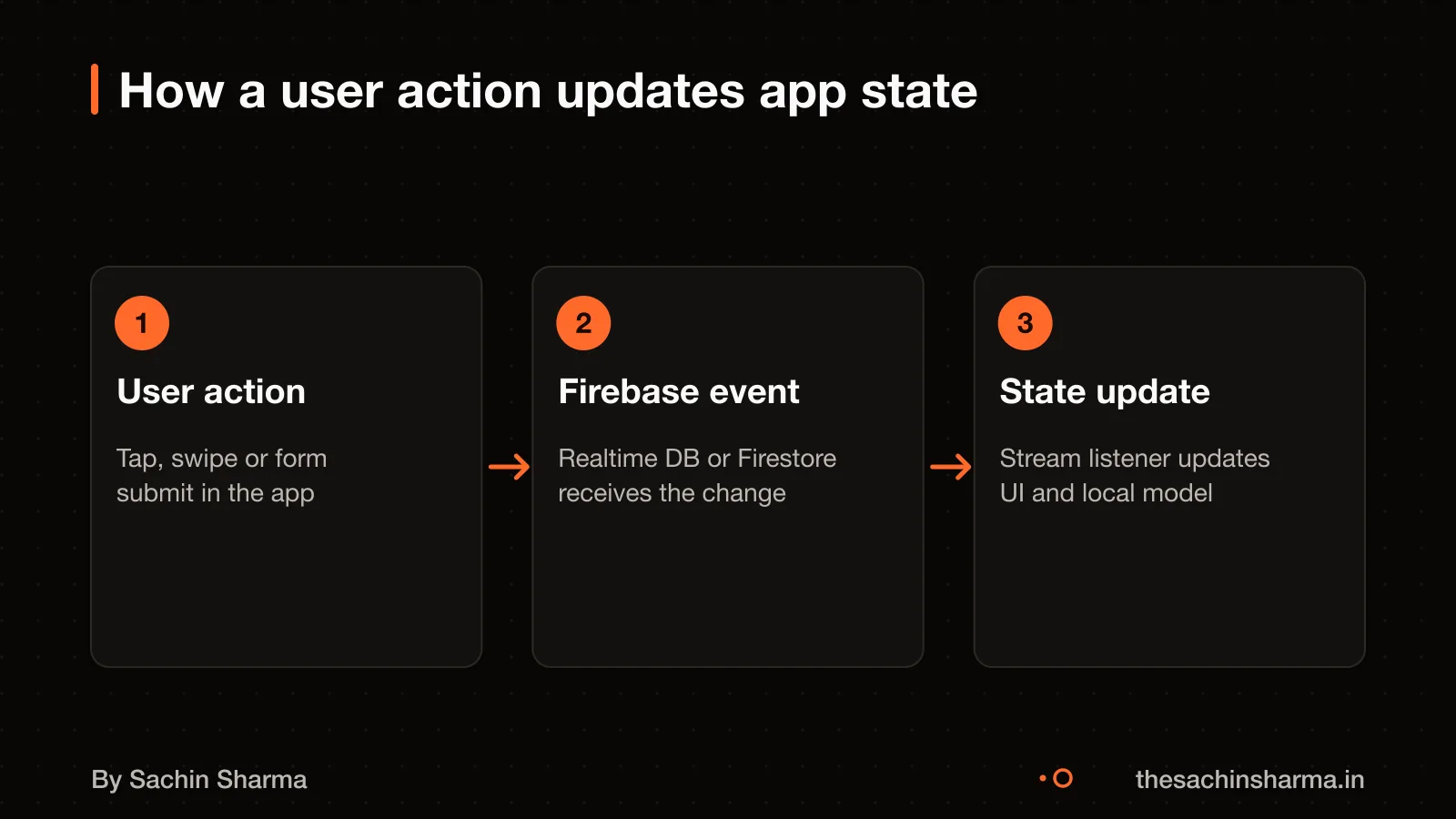
How access rules enforce trust
Firestore rules allow write access if the user has an 'admin' claim or if the agreement path matches their UID. This is enforced by Firebase Security Rules, which check the user’s UID and custom claims. Each user has a document with an `admin` field, and only those with `admin == true` can write to any agreement. For normal users, access is limited to their own data paths, such as `user/<UID>/agreement.json`. Where the system checks that the logged-in UID matches the path.
To implement these rules, you can set up custom claims in Firebase Authentication. This claim is then used in Firestore and Storage rules to allow elevated access. Cloud Firestore rules can restrict access to only the authenticated owner of the content.
If the rules are wrong or too permissive, unauthorised users may read or write data. Since Firebase Security Rules are the only safeguard from the client side, any gap can be exploited directly by a malicious user. For example, default Cloud Storage rules in Locked mode deny all access, so rules must be explicitly set to allow authenticated access. To prevent mistakes, we tested rules in debug mode and used Firebase’s emulator suite before deployment.
You can check what to look for in your own app’s access rules by reviewing what to check in access rules.
How offline behaviour works
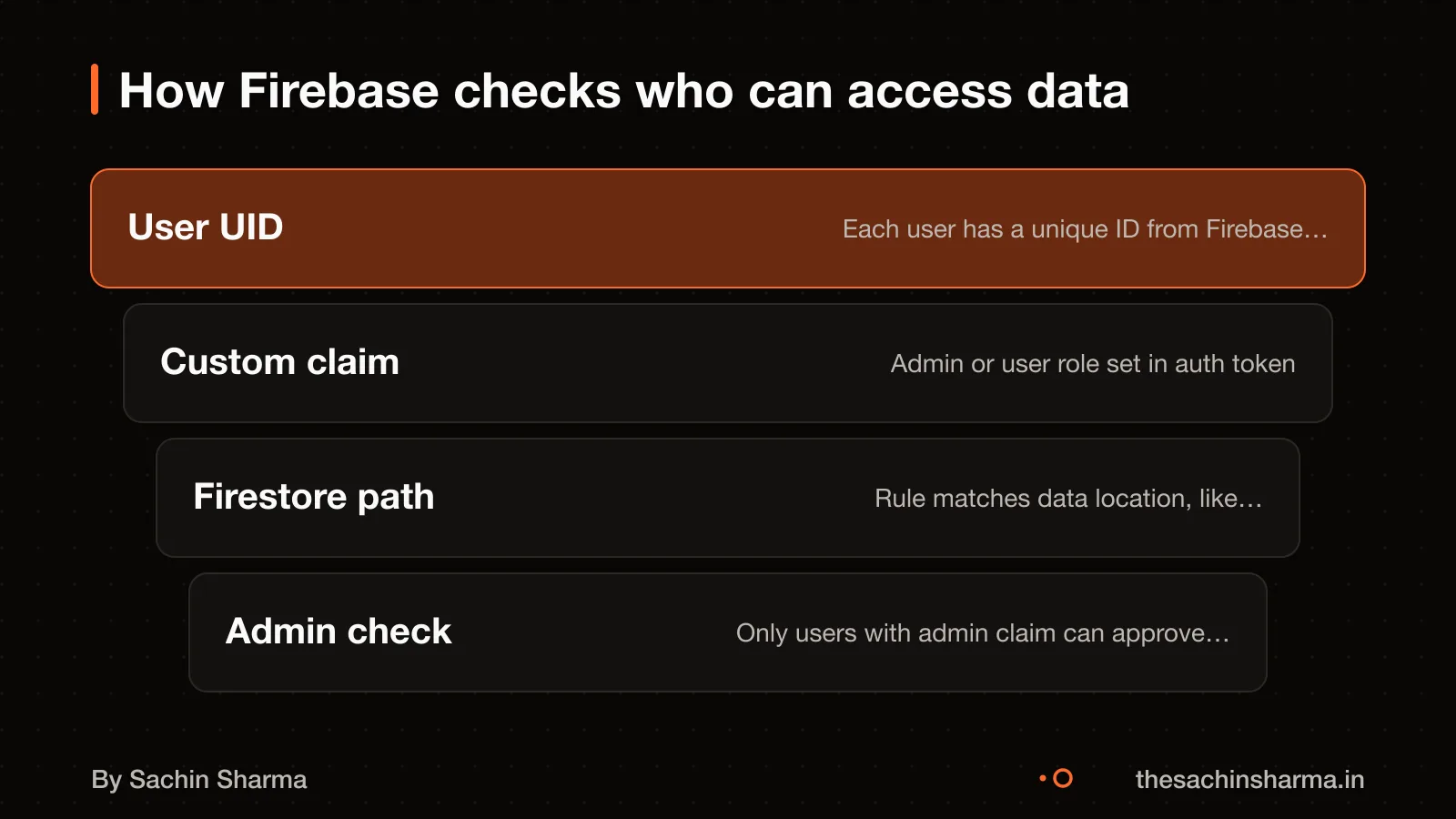
When you lose connection, Aashwasan keeps working because it stores data on your device first, as per founder fact F-05. The app saves data locally, so you can keep using it without Wi-Fi or mobile data. Changes are queued and sent to Firebase once the connection returns.
If two users edit the same record offline, the system may not resolve which version wins, specific conflict logic is not documented. As a result, critical updates should be confirmed once both sides are back online. This is common in offline-first apps, but it means real-time sync is not promised.
The local cache holds your work until it safely uploads, as per founder fact F-05. However, if the device itself fails before sync, unsent data could be lost. To reduce risk, the app likely saves drafts quickly and uses Firebase’s automatic retry for failed sends.
You should assume that full reliability depends on timely reconnection. For mission-critical updates, check the sync status or repeat the action when back online.
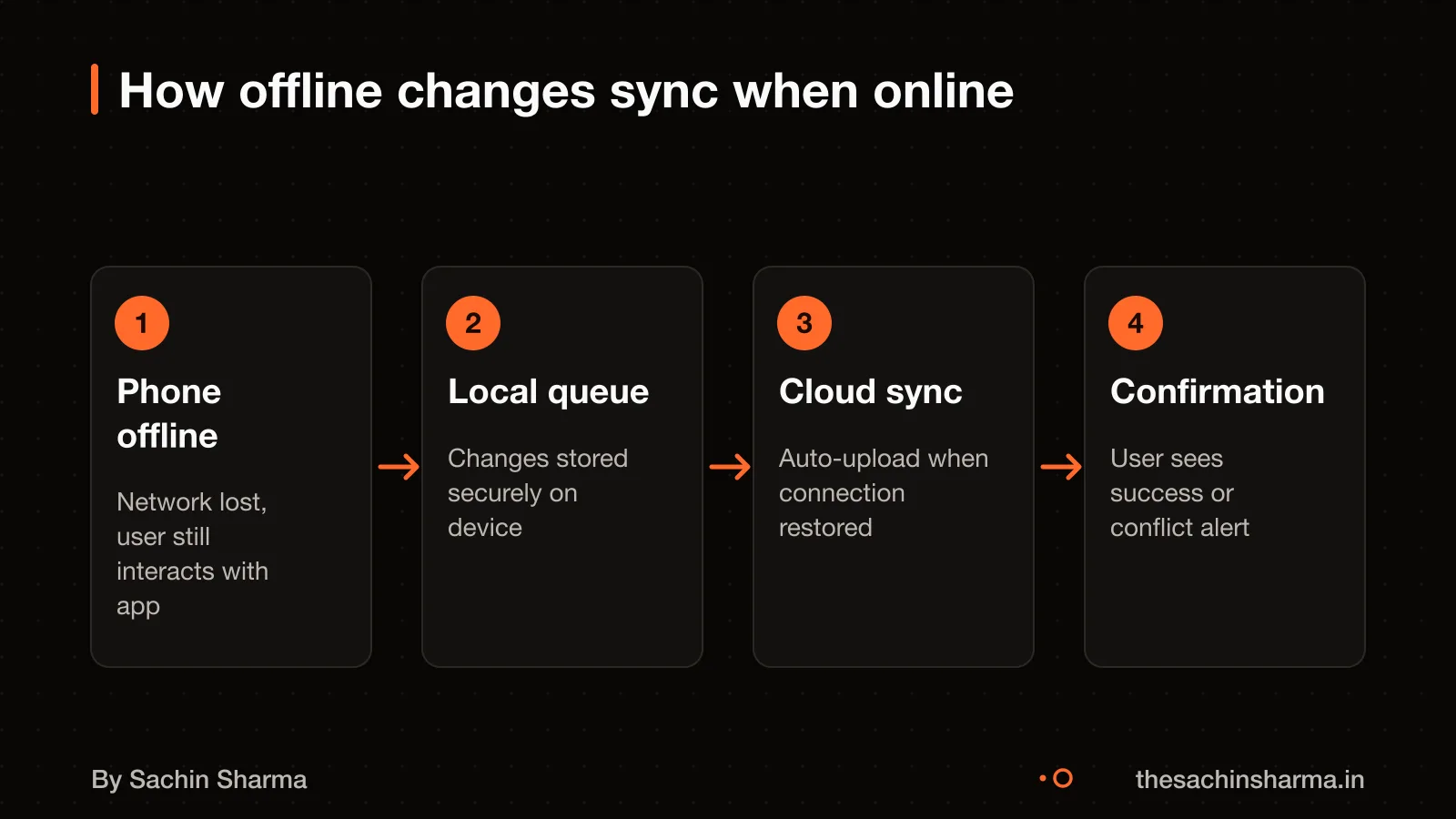
How notifications keep both sides in sync
This keeps both parties aware without constant checking.
The app provides a GUI-based option for creating notification requests. Messages can be sent from a trusted server environment. The backend accepts the request, assigns a message ID and fans out to subscribed devices using topics.
The platform-level transport layer then routes each message to the target device. It handles platform-specific configuration.
You must allow notifications in your device settings for them to arrive. If disabled, the app will not alert you, though data syncs once reopened. For developers, how to set up FCM covers the full process.
Common failure modes and how to avoid them
Firebase apps most often break due to authentication failures, unoptimized Firestore queries, and incorrect security rules. Authentication fails when the API key is wrong or the authentication method is misconfigured. It can also fail due to insufficient permissions in Firebase Authentication settings. It also breaks if there are issues with OAuth providers. To prevent this, test sign-in flows early and use Firebase Emulator Suite to simulate failures.
Unoptimized Firestore queries slow down apps when they fetch large datasets. They can also slow down when indexes are missing. Real-time updates can cause frequent reads. Spot bad queries by checking for full collection scans or missing index errors in the console. Always filter on indexed fields and use query limits during development.
Storage access fails when security rules are incorrect. It can also fail due to invalid file paths or missing authentication tokens. It also fails if files exceed storage limits. Test rules in locked mode before deployment. Use the Firebase Emulator to validate path patterns and authentication checks. Monitor usage in the Firebase console to catch spikes early.
Deployment fails if the Firebase CLI is not authenticated. Always run `firebase login` before deploying. Automate deployment in CI/CD to avoid human error. Use build scripts that include linting, testing, and emulator checks.
Have a Firebase quote? Send it to me and I'll mark what's missing in security and offline handling.
Message me on WhatsAppThe thinking
- 01
Problem
Gig work and contracts run on scattered chats and promises, with no shared record of who agreed to what.
- 02
Decision
Use Firebase for authentication and real-time data, and spend the build time on the agreement and order workflow instead.
- 03
Why it holds
Real-time order tracking and secure messaging are solved problems on a managed backend. The product's value is in how an agreement moves through its states, so that is where the effort went.
What it includes
- Contract and gig management in one app
- Real-time order tracking
- Secure communication between the two sides
Questions people ask
01How does Aashwasan work in production?
The app syncs data across devices using Firestore, and the Firebase agent provisions Firestore and enables authentication when you click “Enable Firebase”. FCM provides a GUI for creating notifications. For setup, clicking “Enable Firebase” auto-provisions Firestore and connects the app.
02What are the common failure modes?
Common issues include failed authentication due to incorrect API keys or method setup. Slow Firestore performance from unoptimised queries on large datasets, and Storage access errors from misconfigured security rules. To prevent these, verify API keys, index large queries, and test Storage rules before deploy.
03What is the simplest correct setup?
The simplest setup uses Google Cloud’s Starter Tier, which allows deployment of up to two full-stack apps without a billing account. This includes Firestore, Auth, and Hosting. You can upgrade later if usage exceeds limits.
04How are user roles managed?
User roles can be managed using Firebase custom claims. Custom claims are set in Auth and used in rules. User attributes must be defined and assigned in your data for the rules to work.
05Can the app work offline?
Yes, Aashwasan works offline by using client-side persistence to store tasks, agreements, and messages on the device. When the connection resumes, changes sync automatically with Firestore. This keeps the app usable without Wi-Fi or mobile data.
06How are files stored securely?
Files are stored in Cloud Storage under paths like 'user/{userId}/fileName'. Write access is allowed only if the requester’s UID matches the path’s UID. Default locked mode rules deny all access unless explicitly allowed.
07What tools were used to design the state machine?
I used StateSmith, a free and open-source tool, to design Aashwasan’s state machine. It generates clean, testable code in multiple languages. The output is human-readable and works well in apps and embedded systems.